Purpose and operating approach
The camera systems are part of McKnight's broader safety program. They are intended to improve situational awareness, allow the Safety Team to check activity in key areas without leaving the monitoring position, and provide recorded video that can be reviewed after an incident or concern.
Using two separate platforms gives McKnight a degree of operational diversity. Wyze and UniFi Protect have separate camera ecosystems, interfaces and recording methods, so one system can still provide useful visibility if the other is unavailable or undergoing maintenance.
Wyze system
Wyze Web Portal
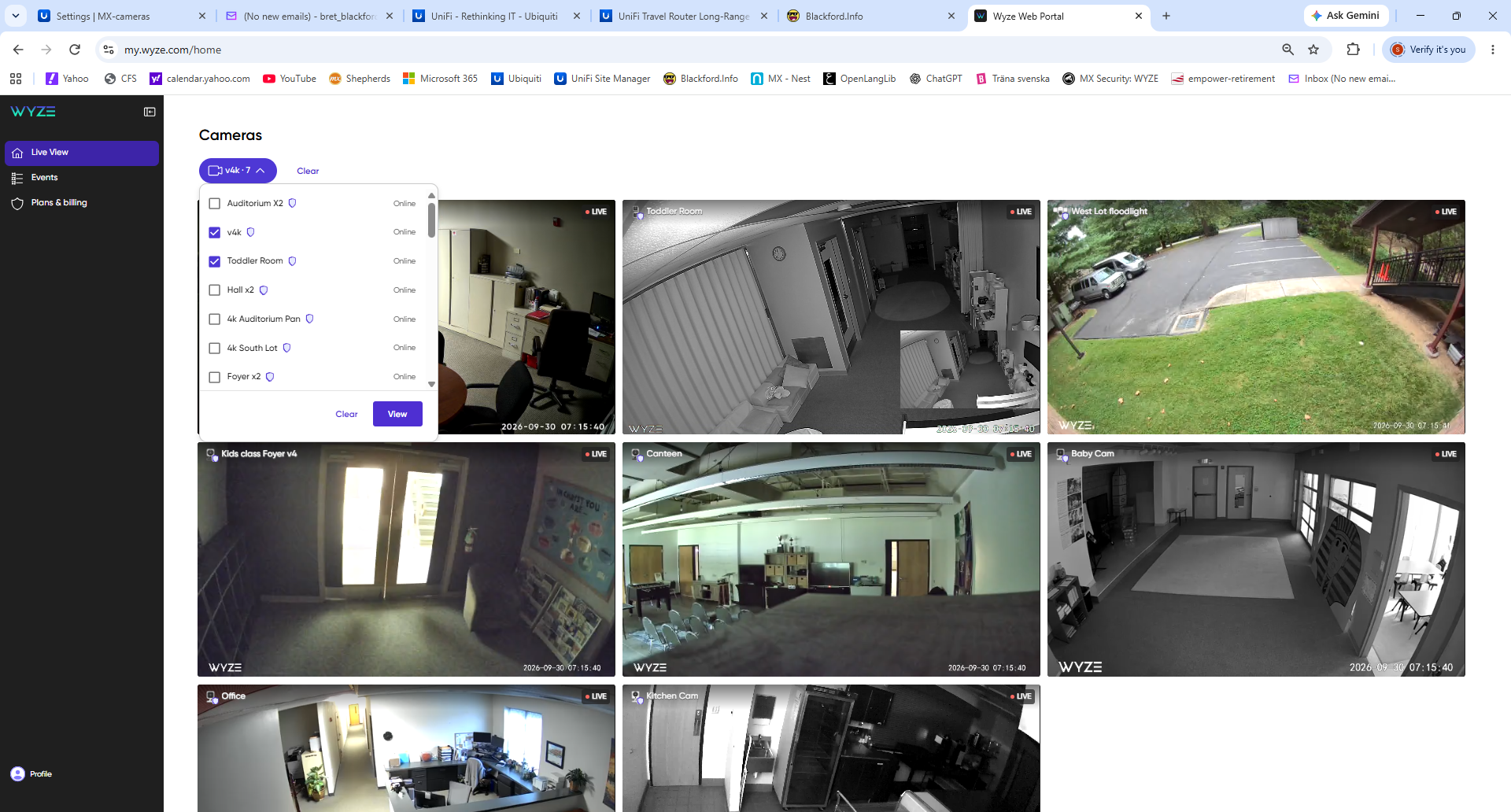
McKnight's Wyze cameras can be viewed from the Wyze web portal in a multi-camera live-view layout. The system includes cameras covering a variety of interior and exterior areas. The web interface allows the Safety Team to select the cameras most useful for the current monitoring need.
Wyze also provides recorded-event access according to the camera and subscription/storage configuration assigned to each device.
UniFi Protect system
UniFi Protect / UNVR
McKnight also operates a UniFi Protect system with a dedicated UniFi Network Video Recorder (UNVR). Protect provides a consolidated live-view dashboard, recording, event review and camera management for the UniFi cameras connected to the system.
The Protect installation includes both general surveillance cameras and cameras associated with McKnight's UniFi Access entry system. The Safety Team can use customized dashboard views to watch several areas at the same time.

Sunday monitoring position
Typical Sunday use
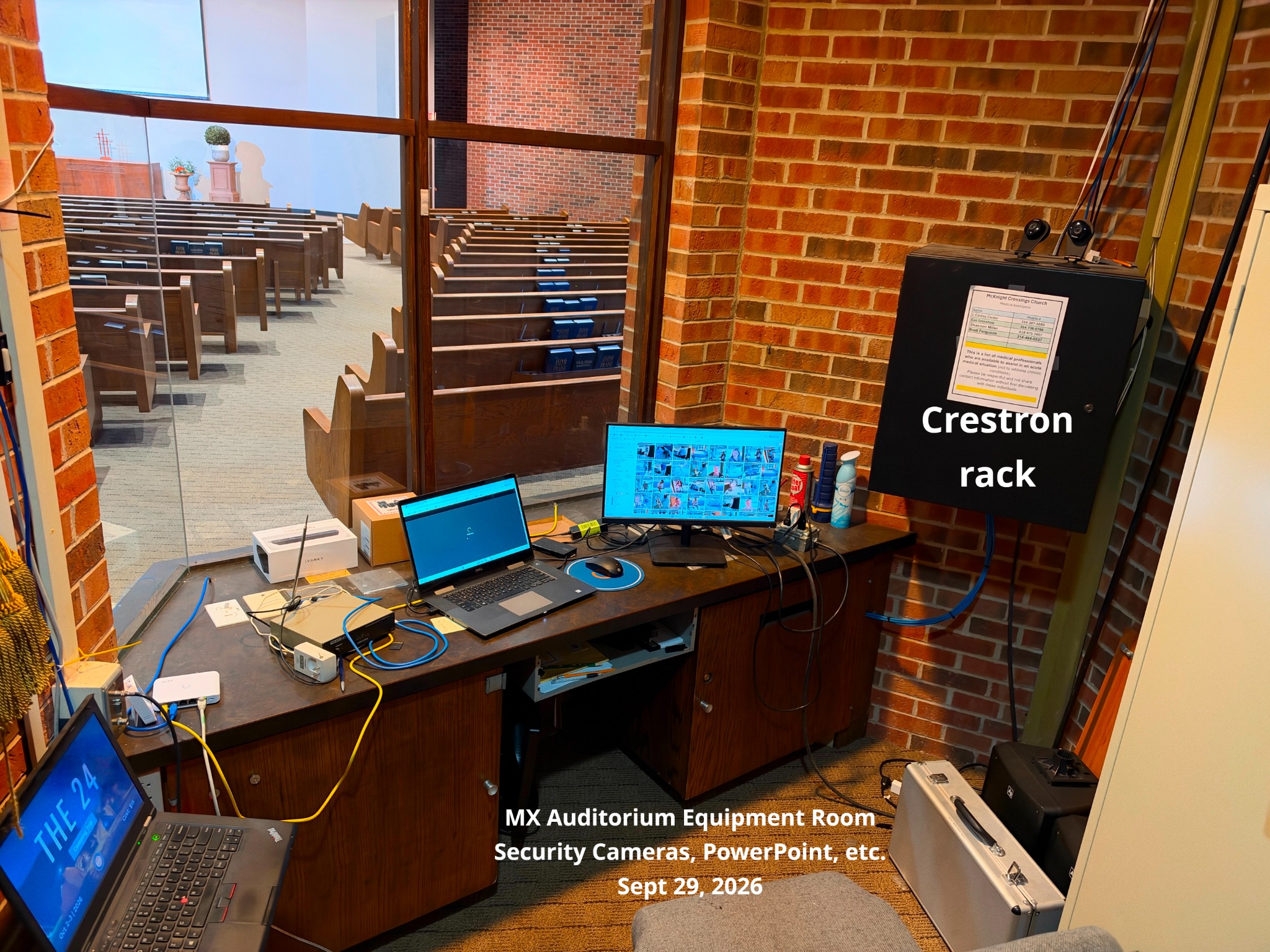
- A designated Safety Team member is assigned to monitor the camera systems during Sunday activities.
- The member can view multiple Wyze and UniFi camera feeds from the equipment-room workstation.
- Attention can be shifted to a specific camera or area when activity needs a closer look.
- If something appears unusual, the monitor communicates with other Safety Team members so the situation can be checked in person.
- Recorded video can be reviewed later when an incident, question or facility issue needs follow-up.
System separation and resilience
| Platform | Primary role | General architecture |
|---|---|---|
| Wyze | Additional live camera coverage and recorded events | Wyze cameras viewed through the Wyze application/web portal, with recording availability based on each camera's configured storage/service. |
| UniFi Protect | Managed local surveillance platform and integrated entry-camera coverage | UniFi cameras record through the on-site UniFi Protect / UNVR platform and are viewed through the Protect dashboard. |
This public AV documentation intentionally describes the systems at a high level. Detailed camera placement, network addressing, credentials, retention configuration and other security-sensitive settings should remain in internal administrative records rather than on the public website.