System overview
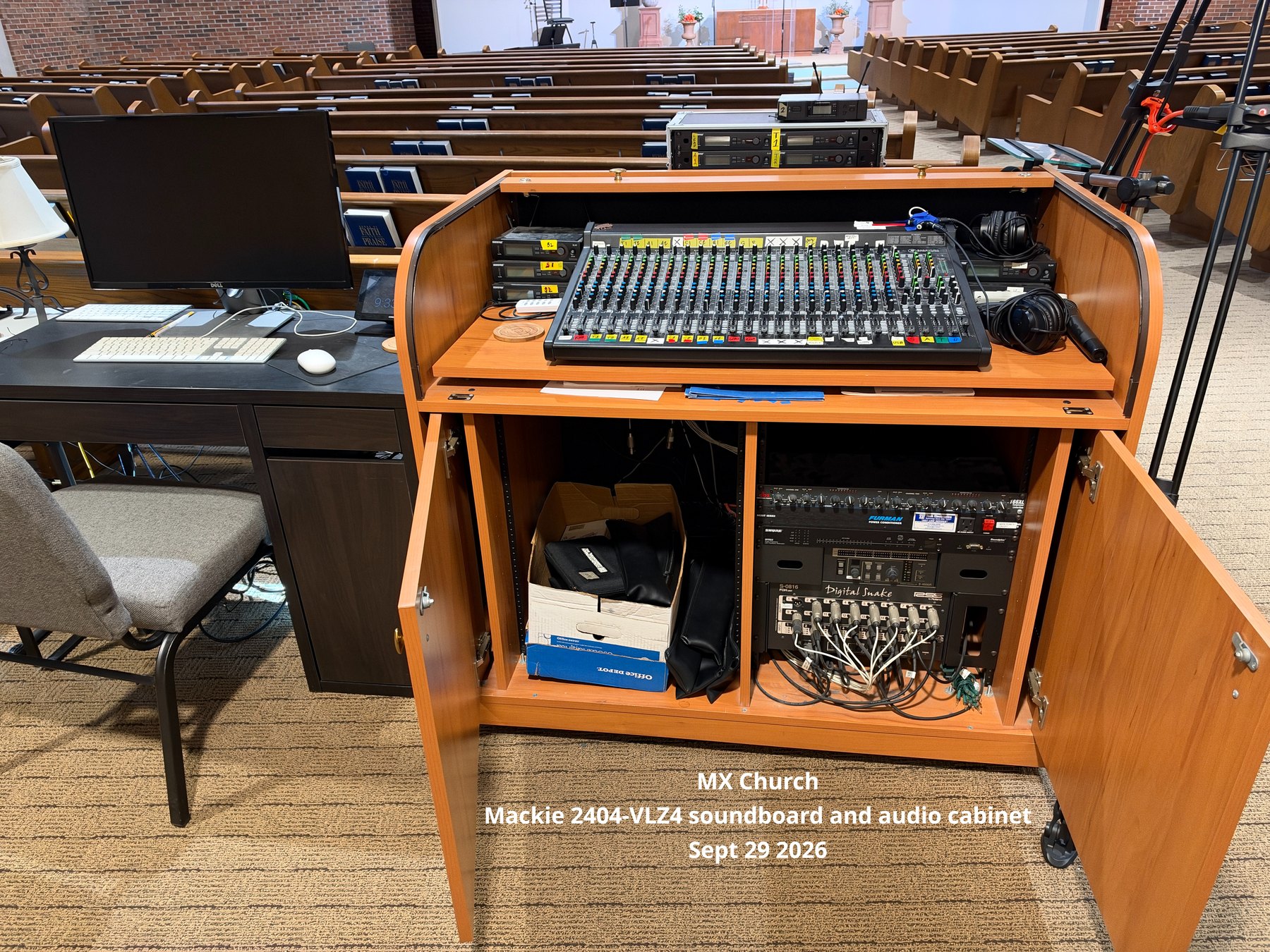
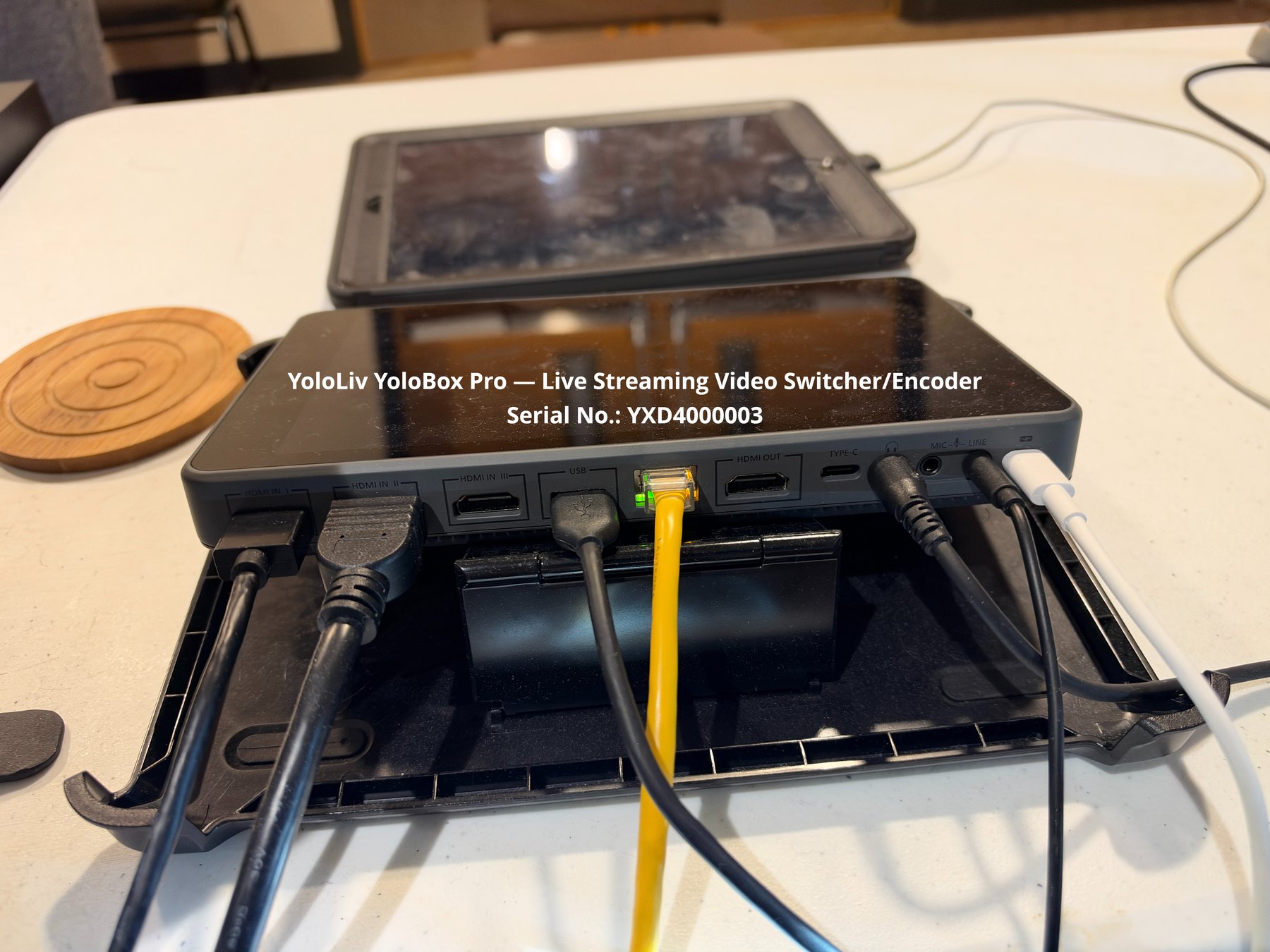
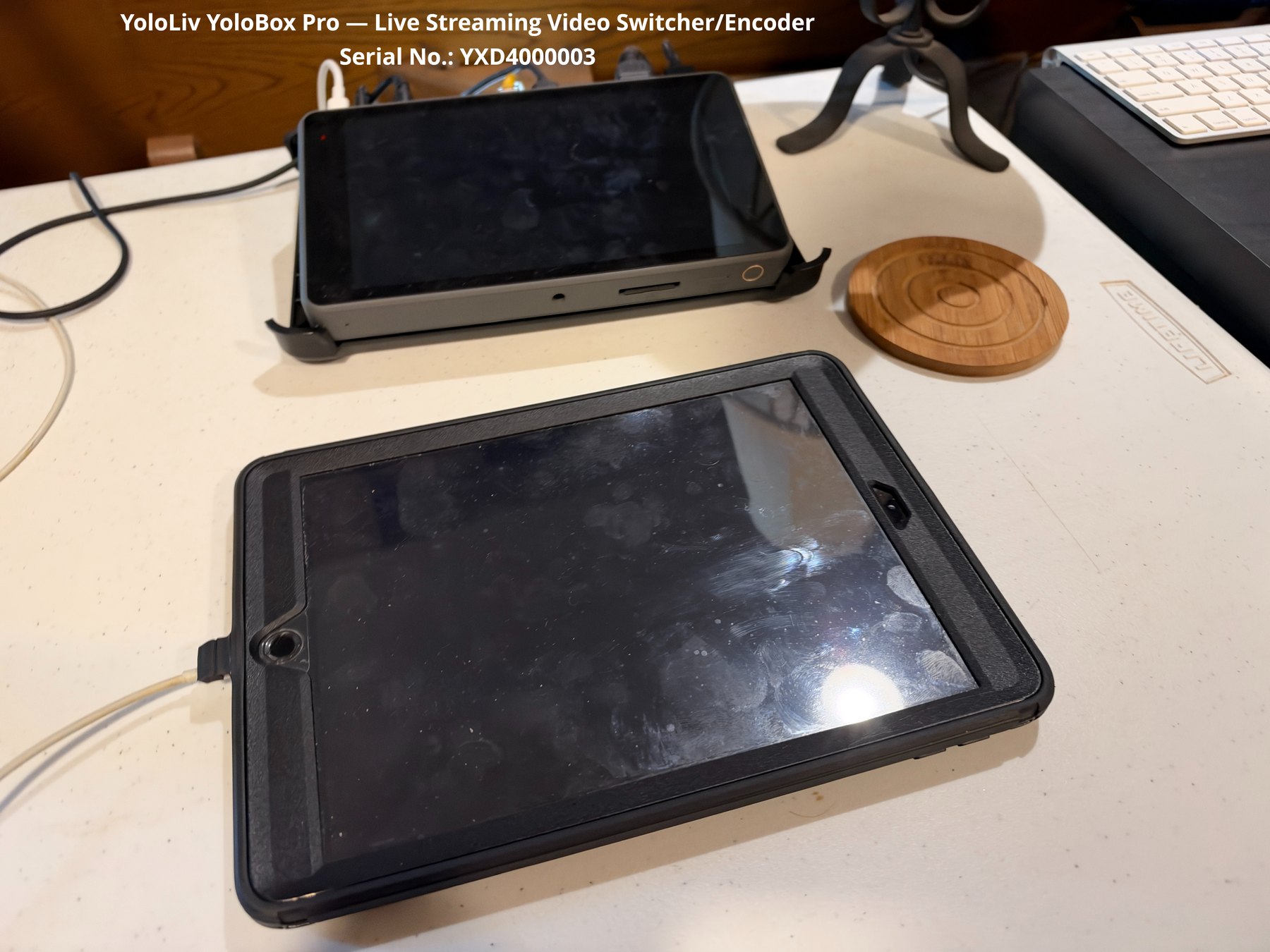
McKnight uses a conventional auditorium sound system combined with a compact livestream production chain. The photographed system includes the main Mackie console and Shure wireless microphone receivers at the sound position, a Sony long-zoom camcorder and Mevo Plus camera, and a YoloLiv YoloBox Pro that can switch video sources, monitor the program, record, and encode the outgoing livestream.
Main-room sound
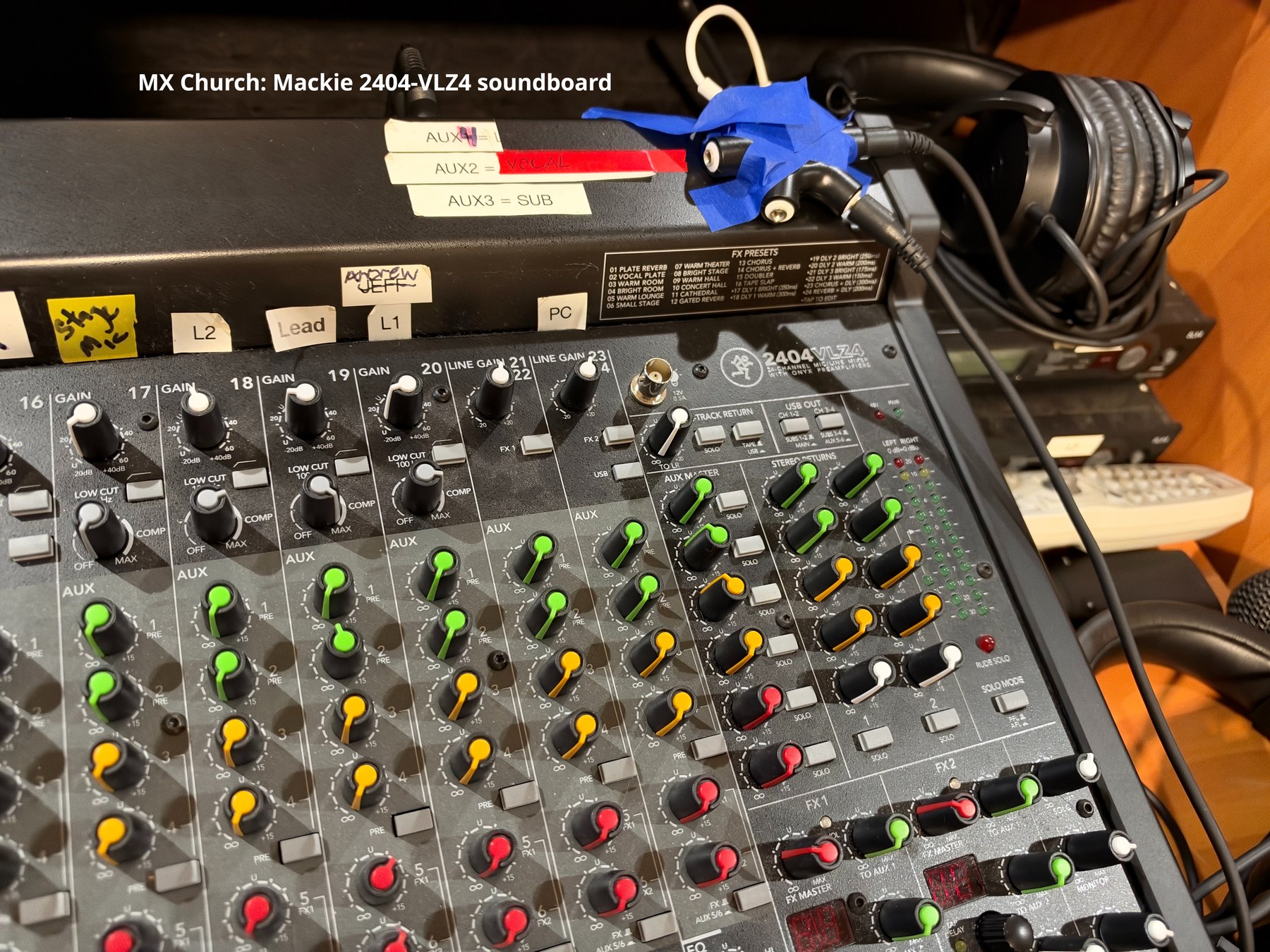
Mackie 2404-VLZ4
| Manufacturer / model | Mackie 2404-VLZ4 |
|---|---|
| Type | 24-channel, 4-bus analog live-sound mixer with USB and built-in effects |
| Mic preamps | 20 Onyx microphone preamps |
| USB | Integrated 4×2, 24-bit USB interface |
| Use at McKnight | Main auditorium front-of-house mixing for Sunday worship and other events; also provides audio that can be routed to the livestream chain. |
The board is heavily labeled for McKnight's recurring inputs and outputs, which is useful for volunteer operation and should be preserved if the console is ever replaced.

Wireless microphones
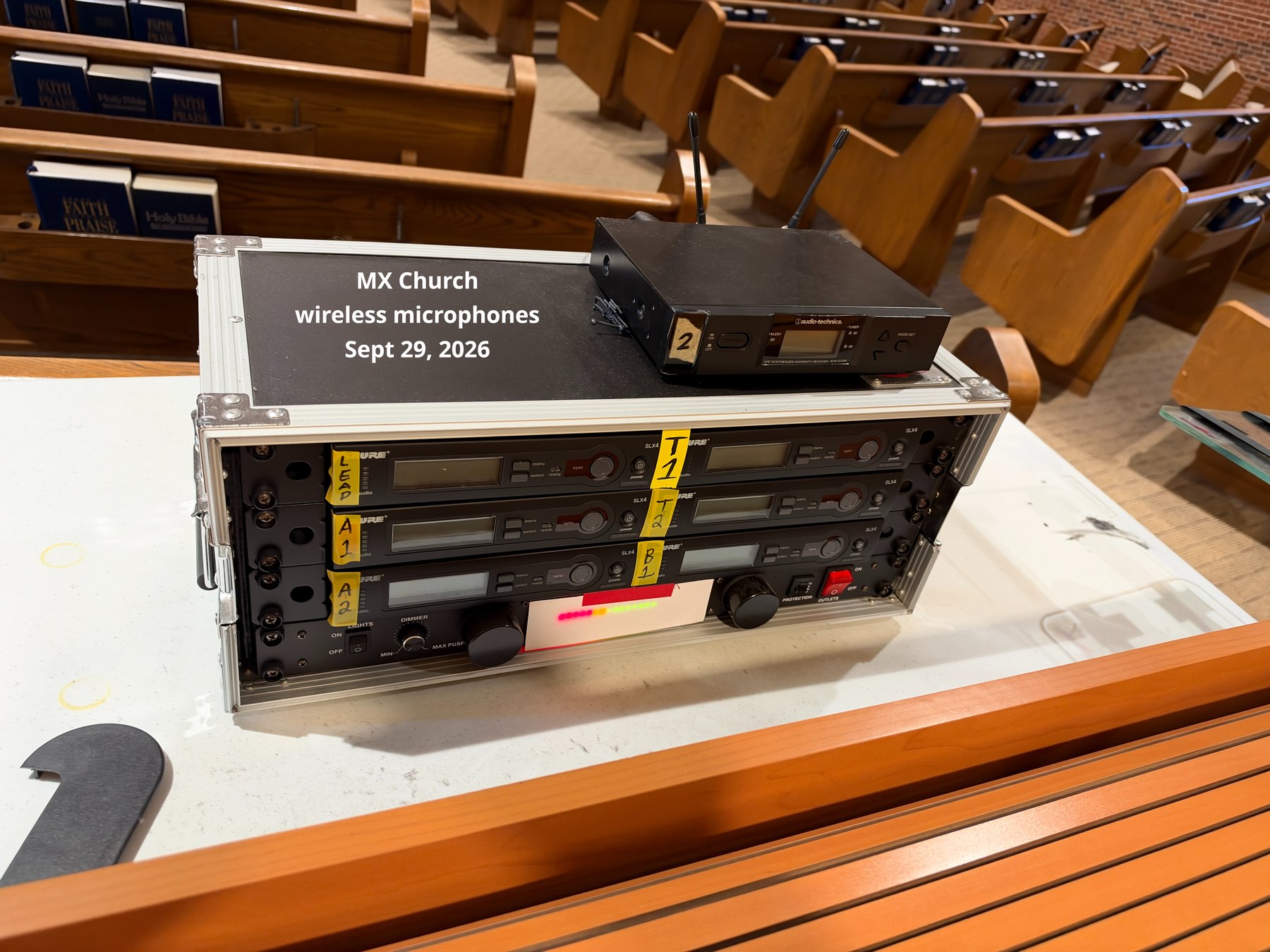
The console position includes a rack of Shure wireless microphone receivers. Multiple receivers are labeled for recurring microphone assignments. The exact receiver model numbers and RF frequency bands are not legible in the current photographs and should be recorded from the rear or bottom labels during the next inventory pass.
Recommended future inventory fields: receiver model, frequency band, transmitter type, microphone assignment, serial number and spare battery practice.
Main audio processing & digital snake rack
The lower-right stack in the main AV cabinet is an important part of the auditorium sound infrastructure. It contains dynamics processing, feedback control, rack power conditioning, and the front-of-house end of McKnight's Roland/RSS digital snake system.
| Equipment | Purpose at McKnight |
|---|---|
| dbx 166XL Compressor / Limiter / Gate | Two-channel dynamics processor used to control level swings, reduce excessive peaks, and gate low-level noise on selected audio paths. |
| Furman Merit Series Power Conditioner | Provides switched AC distribution, surge protection, and power filtering for the rack equipment. The exact Merit submodel is obscured in the current photo. |
| Shure DFR22 Digital Feedback Reducer / Audio Processor | Two-input/two-output DSP used for feedback suppression and system processing. It can also provide equalization, delay, compression, and limiting. |
| Roland / RSS S-4000R Remote Controller | Remote control for the digital-snake microphone preamps, including gain, phantom power, pad, channel linking, and level monitoring. |
| RSS by Roland S-0816 FOH Unit | Front-of-house digital-snake interface. It carries multiple channels of high-quality audio between the stage/chancel area and sound booth over Roland's REAC network-audio connection. |
How the digital snake fits into the system
The digital snake replaces much of the large analog multicore cable bundle that would otherwise be required between the platform and the sound booth. The S-4000R controller lets the operator adjust remote preamp functions from the booth instead of walking to the stage unit.
The Shure DFR22 and dbx 166XL are primarily part of the auditorium sound-reinforcement chain rather than the video system, but they indirectly affect the livestream whenever the stream receives its program audio from the main sound system.

Livestream cameras
Sony FDR-AX53 4K Handycam
| Model | Sony FDR-AX53 |
|---|---|
| Sensor | 1/2.5-inch back-illuminated Exmor R CMOS |
| Lens | ZEISS Vario-Sonnar T*, 4.4–88 mm |
| Zoom | 20× optical; 30× Clear Image Zoom in 4K / 40× in HD |
| Video | Up to 3840×2160 4K/30p recording |
| Output | Micro HDMI available for external video feed |
| Role | Long-zoom auditorium camera, well suited to platform/pulpit framing from the rear or side of the room. |


Logitech Mevo Plus
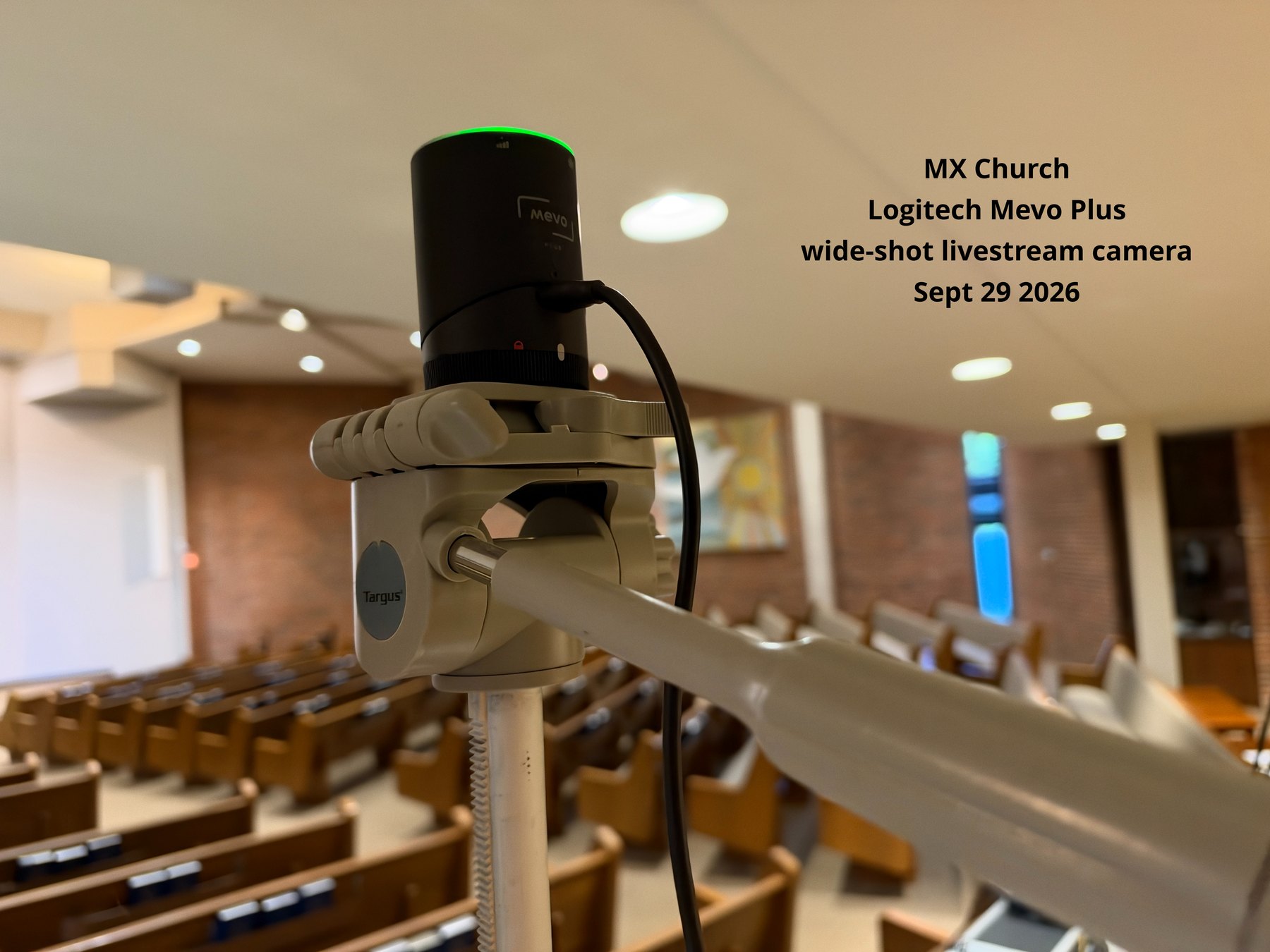
The small cylindrical camera mounted on the Targus head is a Mevo Plus, an older Mevo live-streaming camera. It can be remotely controlled and can participate in streaming workflows through supported network/webcam methods. At McKnight it is useful as a compact wide or alternate camera position.
Mevo's current support documentation confirms the Mevo Plus product and its external-power capability; unlike the newer Mevo Start/Core models, the Plus does not support NDI.
Video switching and streaming
YoloLiv YoloBox Pro
| Product | YoloLiv YoloBox Pro |
|---|---|
| Serial / ID visible | YXD4000003 NA |
| Function | All-in-one live production monitor, video switcher, recorder and streaming encoder |
| Physical video inputs | 3 × HDMI plus USB and USB-C video input support |
| Network | Ethernet connection visible in the McKnight installation; Wi-Fi / cellular capabilities are also part of the product platform |
| Output | HDMI output and encoded livestream output |
| Role at McKnight | Combines camera sources and program audio into the outgoing Sunday livestream. |

Presentation computer & iPad control
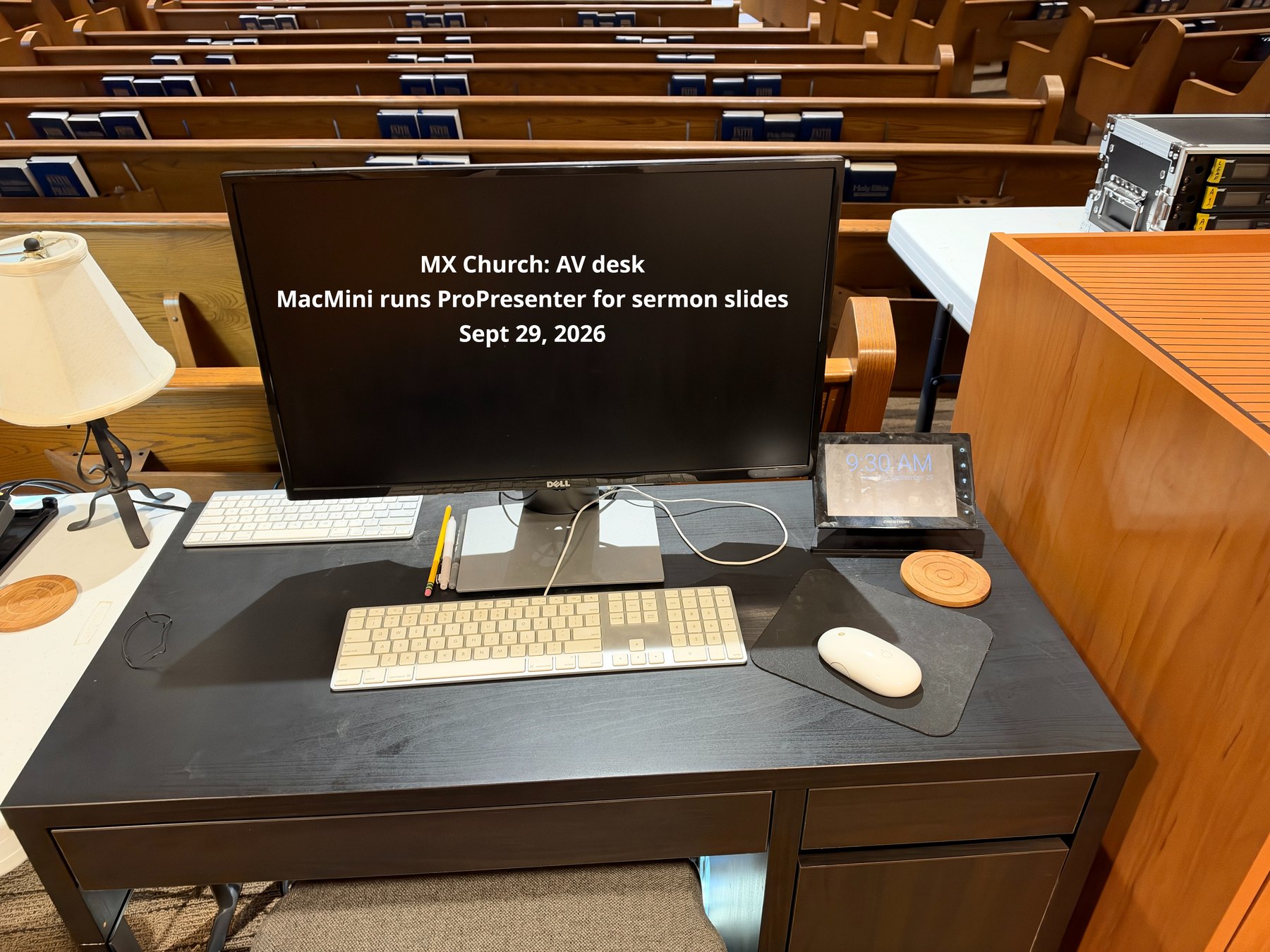
The Sunday AV position uses both a Mac mini and an iPad, but they serve different purposes.
| Mac mini | Main presentation/computer workstation. It runs ProPresenter and other computer-related tasks used for worship preparation and presentation. It is also used to create and modify presentations, work with PowerPoint (used nearly every week and for importing slides), and access the Internet, Google Drive and email when importing externally supplied material. |
|---|---|
| iPad — practice use | During practice/rehearsal, the iPad can be used to advance/change presentation slides when no one is operating the main computer. |
| iPad — worship use | During worship, the iPad is used to control the camera on the left-side tripod. This makes it part of the live-video production workflow rather than simply a presentation remote. |
This division of duties was confirmed by the Sunday AV operator on Sept. 29, 2026. The iPad therefore has a dual role: presentation control during practice and camera control during worship.
Sunday startup / shutdown framework
This checklist is intentionally conservative until the exact signal routing and account/platform settings are documented.
Before service
- Power the main sound system and confirm the Mackie console is in its normal labeled configuration.
- Power wireless receivers and test each Sunday microphone.
- Power the Sony and Mevo cameras; confirm framing, focus and external power.
- Power the YoloBox Pro and verify expected camera sources appear.
- Verify program audio is reaching the YoloBox without clipping or being muted.
- Confirm wired Ethernet link and test the streaming destination before going live.
- Start local recording if that is part of the Sunday procedure.
After service
- End the livestream at the platform and confirm it has fully stopped.
- Stop local recording before removing media or power.
- Power down cameras / YoloBox in an orderly way and leave charging connections as intended.
- Return microphones to their labeled storage/charging locations.
- Document any audio dropouts, camera faults, network issues or unusual settings before volunteers leave.
Open documentation items
- Trace and label each YoloBox HDMI input from source to destination.
- Record the exact audio feed from the Mackie and/or Yamaha DM3 into the livestream chain.
- Record Sony camera serial number and power-adapter details.
- Record Mevo Plus serial number and whether its contribution is direct, webcam, RTMP/SRT, or through another converter.
- Record model/frequency band for each Shure wireless receiver and transmitter.
- Record the livestream platform/account workflow, without publishing passwords or stream keys.
- Document any HDMI extenders, splitters, converters or capture devices hidden in cabinets or behind equipment.
Photo documentation